


 |
|
|
|



|
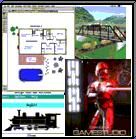
theliquidateher® is pleased to introduce our new 3D architecture program, Premier Architect™. This product will allow you to easily create anything from a simple home floor
plan to a complex office structure. You'll be able to render your ideas in beautiful
3D and virtually move through the design controlling your position and angle;
you can even walk up and down the stairs! If you wish to be notified when
Premier Architect™ is ready to ship, please email our sales staff with your email
address and request notification or fill out the form at the bottom of the
screen. Premier Architect™ contains top quality 3D models, including furniture, appliances, lighting, terrain, et al. Look at our sample objects from our 3D Libraries! If you're a manufacturer of home-related products and would like theliquidateher to include them in future versions of Premier Architect™ please contact our sales department at sales@theliquidateher.com. We are interested in, and can easily add to the program, all types of manufacturered furniture, fixtures or appliances and other objects. We can turn your products into 3D art or quickly incorporate your 3D images into the program. Visit our FAQ page to find your answers to Premier Architect's™ most Frequently Asked Questions. Read on for additional information about the Features and Capabilities of the program. Premier Architect™ Features Drawing Tools Premier Architect™ will support a variety of American and metric measurement units, including inches, feet, yards, millimeters, centimeters, and meters. In addition, Japanese units (e.g. Shaku, Ken and other applicable units), will be supported. Experience precision to 1/64th of an inch using standard measurements and to .001 using metric measurements. Zoom in on any part of your drawing. Specify precise object sizes through a properties dialog. You can type in the exact measurements for 3D walls and 2D drawn shapes. Automatically cut openings in walls for the windows and doors that you place. Set stud spacing and stud size in the wall properties dialog. Special tools allow you to cut openings in walls, floor, and ceilings. Create square, rectangular, circular, or oval shaped openings. Draw your exact lot size or have the program do it for you. Create editable terrain objects to simulate hills and mountains, and specify slopes when you need to. Specify base elevations for layers to make planning multi-story floor plans easier. Objects placed on a second story, for example, would automatically have the second floor elevation added to their own elevation. Enhanced dimension and measuring tools You’ll be able to measure and determine the square footage of an area (polygonal-type and rectangular). Automatic associative dimensioning capabilities. Dimension lines are linked to their object counterpart. When objects are resized, the dimension line is updated automatically. Quickly and easily create any type of steps and stairways with sophisticated (but easy to use) Stair Tools. Support for aligning, distributing and scaling selected objects. Plus support for all of the typical ‘edit’ and ‘arrange’ editing features (flip, rotate, copy, paste, etc.). Automatically generate 2D elevation views. Print at custom scales. The program will print to any system compatible printer, including plotters. Unlimited layer capabilities (limited only by your system memory). Unlimited Undo (limited only by your system memory). 3D Features New 3D model format. Premier Architect™ will utilize 3D objects created with 3D Studio. You can import models from any modeling program that is capable of exporting models in 3DS format. This will enable you to use models that you find on the internet (provided you get appropriate permission from the copyright owner, if applicable). You will be able to place lights in 2D/3D space and adjust their properties (brightness/color, location/elevation, etc.). You can resize 3D objects to your own specifications. Place and position multiple cameras. The indicator on the 2D view represents the current camera location in the 3D view. When you move within the 3D view, the indicator on the 2D view also moves. If you move the 2D position indicator, the 3D camera view adjusts accordingly. Climb the stairs and amble through 3D terrain when navigating in the 3D walk mode. Import your own textures so you can use your custom wallpaper, carpeting or paint scheme in the program. Texture color blend is supported. You will be able to blend colors with existing textures in the program. For example, if you pick out a wallpaper design but don't quite like the color, you'll be able to blend a new color with the texture, creatingyour own totally new look for that texture. You'll be able to add multiple textures to a single surface. Do you plan to have bricks and siding on your exterior walls, or a unique wallpaper motif, or a paint and wallpaper scheme on one of your walls? If so, you'll be able to see your plan precisely in the program. Realistic trees are supported. The program includes realistic looking trees, shrubs and other landscaping items using photographic textures (rather than 3D models). Lighting and shadows will be supported. Miscellaneous The program will run native in OS X and will also be carbonized to run in OS 9.1 and above. Support for Design Your Own Home®3D WalkAround files and Design Your Own Home® Architecture files. If you are using Design Your Own Home® 3D WalkAround or Design Your Own Home® Architecture you will be able to use your files in Premier Architect™. Macintosh/Windows file compatibility. Files between the two platforms will be interchangeable. Multiple monitor support. Detailed help system. Announcing--- Based on your requests, we will be releasing two versions of Premier Architect™ Premier Architect™ as described above, and Premier Architect Lite™. The latter version will have all the rich 2D features described above, but will not include any 3D features. Premier Architect Lite™ for the Macintosh, written to run native on Mac OS X, will be released first. Premier Architect™ (Macintosh) will follow soon after. The Windows versions of both programs come next. Specifications and features may change before the final releases. Watch here for specific dates, which we hope to be able to provide to you in the next couple of weeks. Site Licenses are available for this product. See sample objects. Upgrade Paths and Other Information for Premier, Premier Lite programs. 1. DYOH Architecture to Premier Architect™ Lite ($10 discount) = $39.99 (after 30 days* 49.99) 2. DYOH Architecture to Premier Architect™ ($10 discount) = $89.99 3. 3D Walkaround/Suite to Premier Architect™ Lite = $29.99 (after 30 days* $39.99) 4. 3D Walkaround/Suite to Premier Architect™ = $49.99 5. Premier Architect™ Lite to Premier Architect™ = $49.99 *THE LOWER PRICE IS GOOD ONLY UNTIL 30 DAYS HAVE ELAPSED SINCE THE PRODUCT'S INTRODUCTORY DATE! |
Premier Architect™ Information |


CLICK ANY IMAGE TO SEE A LARGER SAMPLE IMAGE. |
CLICK ANY IMAGE TO SEE A LARGER SAMPLE IMAGE. |